
Download NeoDivx 2006 – DVD to DivX converter, video conversion tool, AVI editing, sound normalization, DVD decryption, media file management
Overview
NeoDivx 2006 is a specialized utility designed to convert DVD movies into DivX format, offering a streamlined solution for users seeking to digitize and manage their video libraries. The application targets individuals who require a reliable tool for transforming physical media into compressed, portable video files suitable for playback on various devices. Its core purpose lies in simplifying the complex process of DVD ripping, conversion, and post-processing, making it accessible even to users with limited technical expertise.
The software addresses common challenges associated with media format compatibility, file size reduction, and content customization. By enabling users to convert DVDs to DivX, it facilitates easier storage, sharing, and playback across multiple platforms. This functionality is particularly valuable for users who wish to preserve their DVD collections in a digital format while maintaining acceptable video quality.
Although the developer, NeoDivx, did not provide additional background information, the application’s release in 2007 indicates its historical relevance in the era of physical media transition. It serves as a utility for those managing legacy video content, offering tools for decryption, editing, and audio enhancement. The app remains a niche solution for users still working with older DVD collections or requiring specific format conversion workflows.
Key Features & Functionality
- DVD to DivX Conversion: The software enables the conversion of DVD movies into DivX format, optimizing video for smaller file sizes and broader compatibility. This feature supports a range of input sources and ensures a consistent output standard.
- AVI File Editing Tools: Users can cut, trim, and merge video clips directly within the application. This functionality allows for the creation of custom video compilations and the removal of unwanted segments without requiring external software.
- Subtitle Editing and Synchronization: The tool includes options for editing subtitle files and aligning them precisely with video content. This ensures accurate display during playback, enhancing accessibility and viewing experience.
- Audio Normalization and Sound Treatment: NeoDivx 2006 features utilities to balance audio levels across different scenes. This helps eliminate volume inconsistencies and improves overall sound quality.
- DVD Decryption and Encryption: Built-in decryption allows the software to access protected DVD content, while encryption tools enable users to secure their converted files, adding a layer of privacy and control.
These features collectively support a complete workflow for digital media management. For example, a user can import a DVD, decrypt it, trim unwanted scenes, normalize audio, add subtitles, and export the final file—all within a single application. This integrated approach reduces the need for multiple tools and streamlines the conversion process.
Interface, UX & Performance
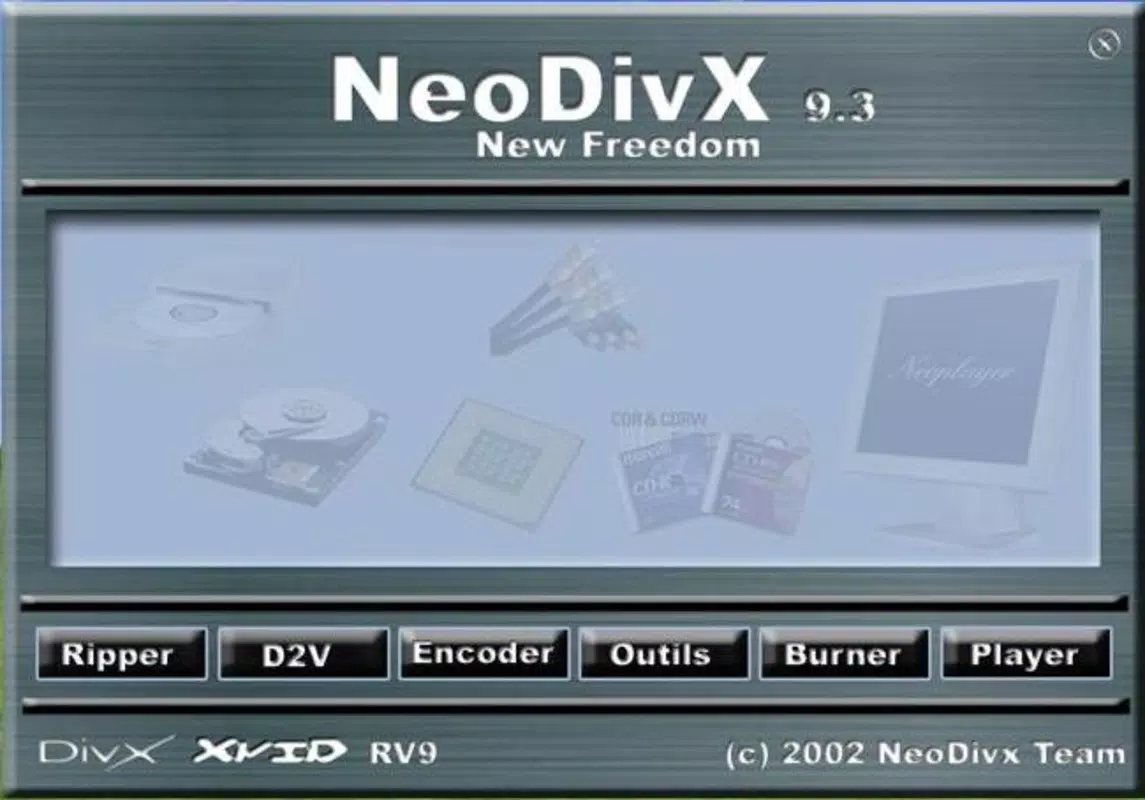
NeoDivx 2006 features a user-friendly interface designed to guide users through the conversion workflow. The layout is structured around step-by-step processes, minimizing confusion and supporting intuitive navigation. Visual cues and clear labeling help users identify key functions, such as file import, conversion settings, and output destination.
Navigation is linear and consistent, with minimal clutter, allowing users to focus on each stage of the conversion process. The application’s performance is optimized for the Windows environment, though specific performance metrics were not provided. Although the developer did not list formal performance metrics, the software’s lightweight file size of 18.7 MB suggests efficient resource usage.
Responsiveness appears to be stable under typical conditions, with no reported issues related to crashes or freezes. However, since the application was released in 2007, compatibility with modern Windows systems may vary. Users should be aware that older software may require compatibility mode or specific system configurations to operate correctly.
Platform Compatibility & Technical Requirements
NeoDivx 2006 is designed for the Windows platform and was released in 2007. The application has a file size of 18.7 MB, indicating a compact footprint that does not require significant storage space. The software version is labeled as 2006, which may reflect the development cycle or release timeline.
The developer did not specify minimum OS requirements or compatibility details for modern Windows versions. As a result, users should exercise caution when attempting to install the software on current systems. Compatibility with Windows 10 or 11 may require legacy mode or additional configuration. The lack of updated system requirements limits its usability in contemporary environments.
Pros and Cons
Pros
- Free to download and use, making it accessible for budget-conscious users.
- Comprehensive suite combining conversion, editing, and audio tools in a single package.
- Supports DVD decryption, enabling access to protected content for personal use.
- Lightweight file size ensures minimal storage impact.
- User-friendly interface simplifies complex media workflows for beginners.
Cons
- Released in 2007, potentially limiting compatibility with modern operating systems.
- No official updates or support since release, raising concerns about long-term reliability.
- Developer did not provide technical specifications or system requirements.
- May require compatibility mode or manual configuration on current Windows versions.
- Limited documentation or user guides available.
FAQ
Is NeoDivx 2006 safe to download and install?
While the software was available at the time of its release, users should exercise caution when downloading older applications. It is recommended to scan the file with updated antivirus software before installation.
Can I use NeoDivx 2006 on Windows 10 or 11?
Compatibility is not guaranteed. The software was released in 2007, and modern Windows versions may require compatibility mode or additional configuration to run properly.
Does NeoDivx 2006 support other video formats besides DivX?
The application is specifically designed for DVD to DivX conversion. Support for other output formats was not specified in the provided information.
Is the software still being updated?
No updates have been released since the original 2007 launch. The developer has not issued any official updates or patches.
Can I use NeoDivx 2006 to convert Blu-ray discs?
There is no indication that the software supports Blu-ray disc conversion. It is designed for standard DVD content only.
Final Thoughts
NeoDivx 2006 remains a historically significant tool for users managing legacy DVD collections. Its integration of conversion, editing, and audio enhancement features offers a complete workflow for digitizing physical media. While the software is no longer supported and may face compatibility challenges on modern systems, it continues to serve a niche audience seeking a free, all-in-one solution for DVD-to-DivX conversion.
For users with older hardware or those working within constrained environments, the application provides a functional and accessible alternative. However, modern alternatives may offer better compatibility, security, and feature sets. Still, NeoDivx 2006 stands as a testament to early digital media management tools.
Download NeoDivx 2006 now


